 Phaeton Labs
Translate your sheet without breaking it.
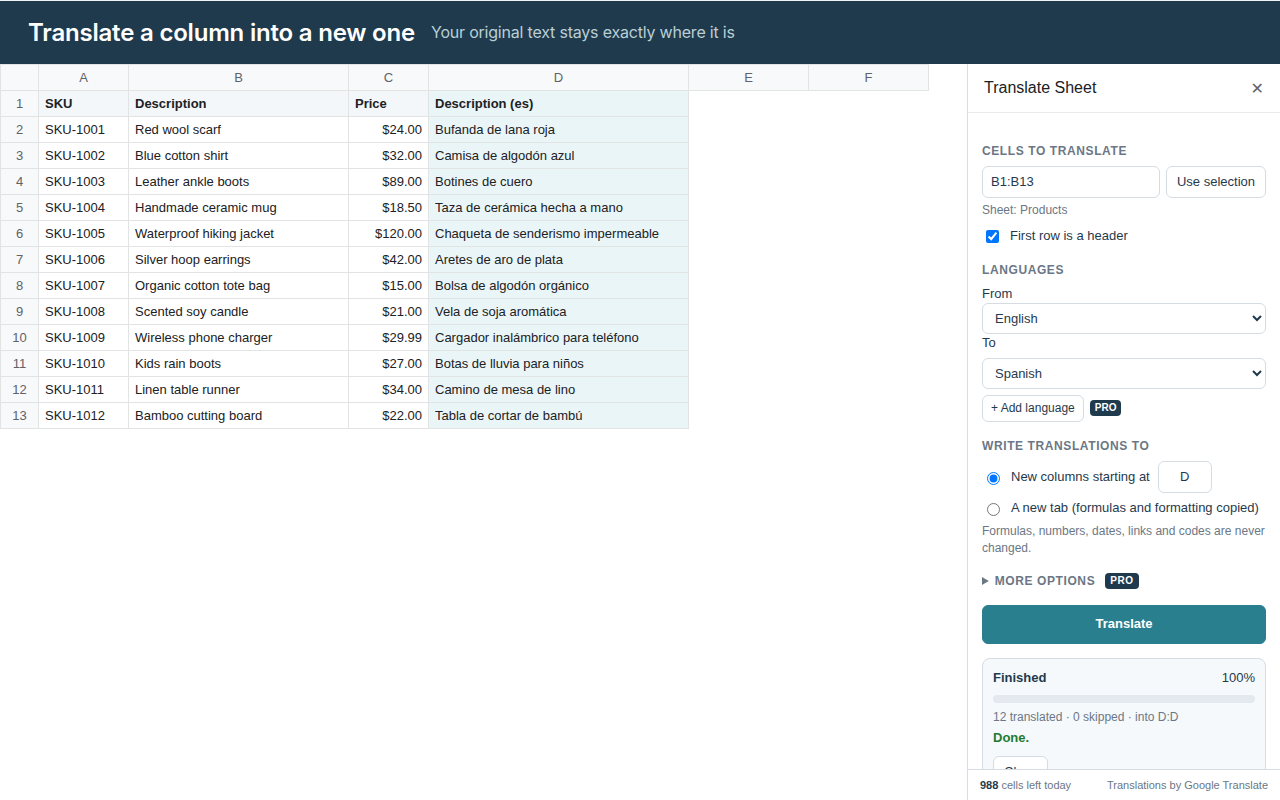
Translate Sheet translates the text in your spreadsheet into another language using Google Translate. It leaves formulas, numbers, dates and links alone, never overwrites your work without asking, and picks up where it left off on big sheets.
Coming soon to the Google Workspace Marketplace.
What it does
Only translates text
It skips formulas, numbers, dates, links, email addresses and codes such as SKU-1042.
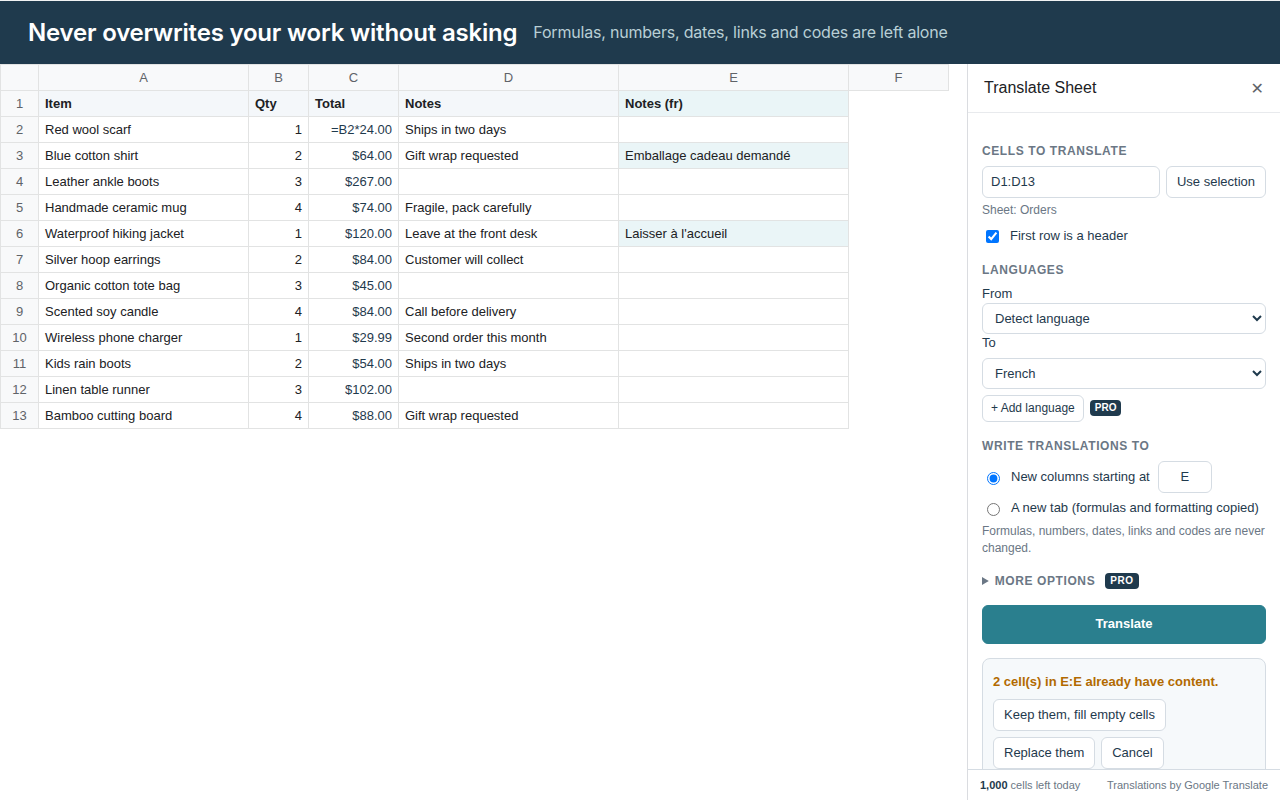
Asks before replacing anything
If the output cells already have content, you choose whether to keep them or replace them. Formulas there are never changed.
Built for big sheets
Work is saved as it goes. If you close the sidebar or reach a daily limit, press Resume later. It doesn't translate anything twice.
Column or new tab
Write translations beside the original, or into a copy of the sheet that keeps all your formatting.
Plans
| Free | Pro Coming soon | |
|---|---|---|
| Translated cells per day | 1,000 | No cap from us. Google's daily translation limit for your account applies. |
| Languages per run | 1 | Several at once, side by side or one tab each |
| Do-not-translate list (brand names, SKUs) | — | Yes |
| Re-translate only cells that changed | — | Yes |
| Resume large sheets safely | Yes | Yes |
Privacy in one paragraph
Translate Sheet only works on the spreadsheet you open it in. Text is translated by Google Translate through Google's own Apps Script service, and Phaeton Labs never receives your sheet contents. The add-on keeps a daily usage count, your last settings and the progress of a run in your Google account. It also keeps short fingerprints of translated cells in a hidden sheet in your spreadsheet, so it can spot changes. Read the full privacy policy.
Translations by Google Translate. Machine translation can make mistakes, so check important text before you publish it. Google Sheets is a trademark of Google LLC. Translate Sheet is made by Phaeton Labs and isn't affiliated with or endorsed by Google.
Questions? Contact support.